Image to 3D
One photo. A mesh you can orbit.
Hunyuan3D-2 reconstructs a textured model from a front hero shot. Add left, back, or right views to tighten the mesh, then send it into 3D World.
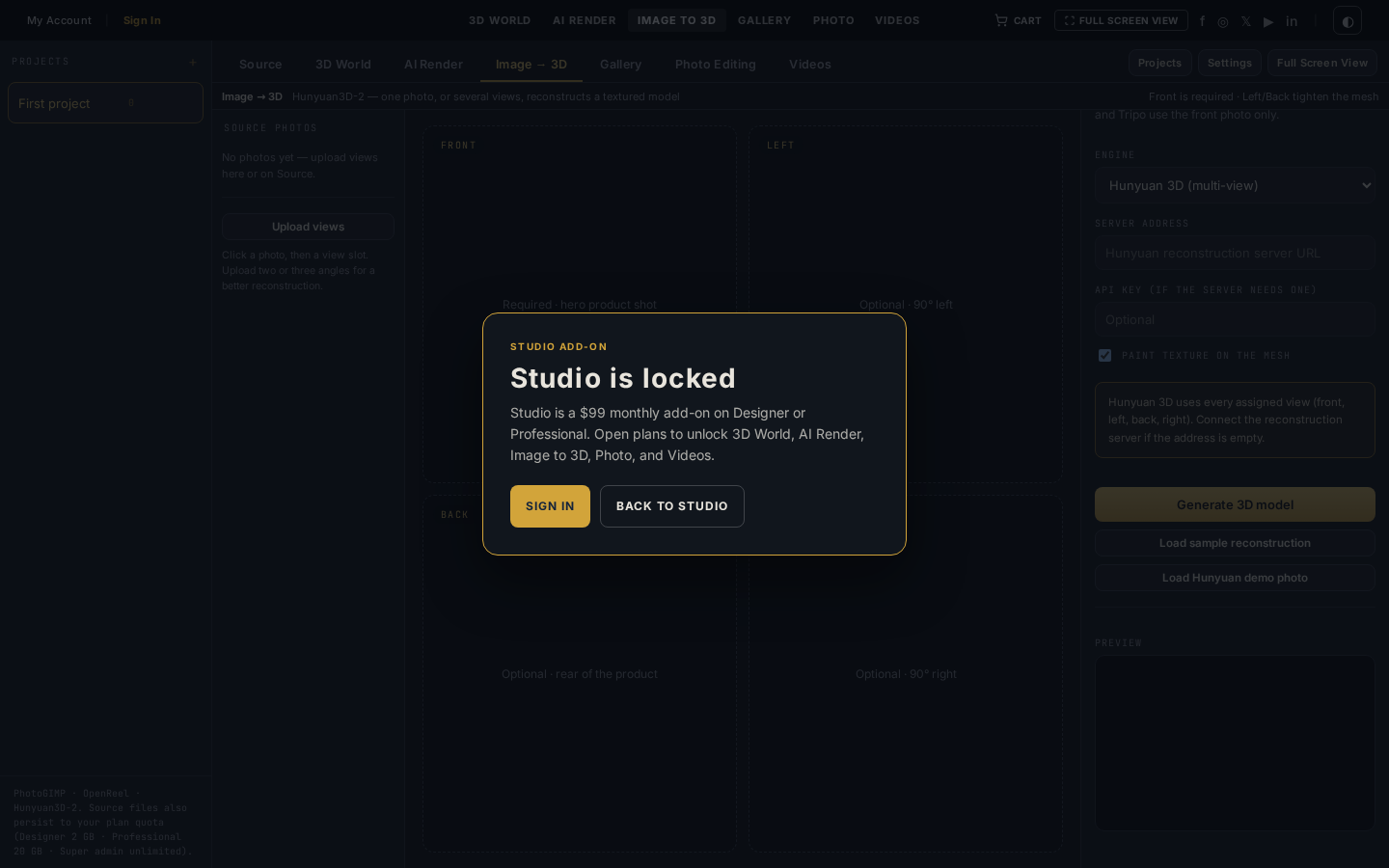
Inside the workspace
Image to 3D bench
Front / left / back / right slots, Hunyuan · Meshy · Tripo engines, and a live orbit preview of the reconstruction.
Your tools, within reach.
Hunyuan3D-2 reconstructs a textured model from a front hero shot. Add left, back, or right views to tighten the mesh, then send it into 3D World.
- Primary engine
- Hunyuan3D-2
- Also
- Meshy · Tripo · custom server
- Input
- Front required · extras optional
- Output
- GLB into Source / 3D World
Multi-view Hunyuan
Front is required. Extra 90° views improve the reconstruction. Texture paint is on by default.
Preview, then ship
Orbit the mesh in the dock. Load the sample reconstruction instantly, or generate from your own photos.
Same source library
Finished models land in Source and open in 3D World without an export round-trip.
Three engines
Hunyuan 3D for multi-view. Meshy and Tripo for a single front photo. Custom Hunyuan server if you host one.
Engines
Choose your image engine.
Tencent
Hunyuan 3D
Multi-view reconstruction. Front plus optional left / back / right.
Meshy
Meshy
Single front photo to a mesh when you do not have extra angles.
Tripo
Tripo 3D
Another single-image path. Same Source library, same 3D World handoff.
From source to result.
- 01
Assign views
Drop a front hero shot. Add left, back, and right if you have them — Hunyuan uses every angle you give it.
- 02
Pick the engine
Hunyuan 3D for the best mesh. Meshy or Tripo if you only have one photo. Paste a custom server if you run your own.
- 03
Open in 3D World
Preview the reconstruction, save the GLB to Source, then light and render it on the 3D World pad.
Explore the workflow.

Also in the lab
- Sign in to save, upload sources, and run paid generates
- Studio is a $99 add-on on Designer or Professional
- Credits come from the same plan pool
One photo. A mesh you can orbit.
Studio is the $99 add-on on Designer or Professional. Sign in to save. Credits power every generate.